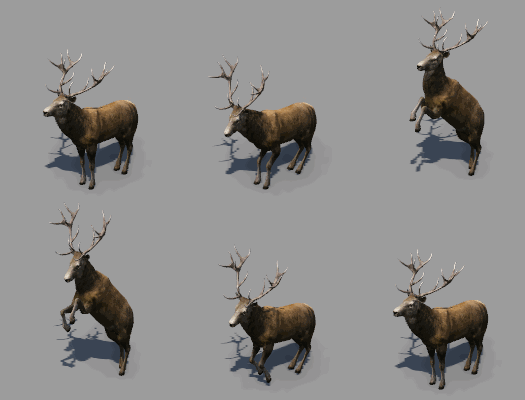
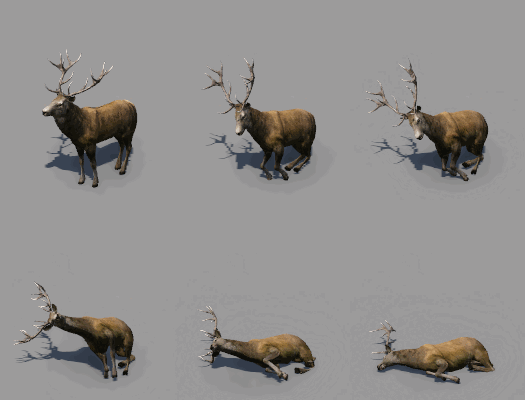
Animals
Animals basically are models as any other object in the game, but they have some unique events and a special metadata struct so they are spawned and move around the map.
Metadata
In addition to the general .mdl properties, animals use the cameraConfig struct as players can follow animals in first person view. Furthermore, there is a metadata struct called animal:
function data()
return {
  -- bounding box
  -- collider
  -- lods

  metadata = {
    description = {
      name = _("Salmon"),
    },
    cameraConfig = {...},
    animal = {
      config = {...},
      flockName = "",
      flockFormationFn = {
        fileName = "/animal/animal.script@flock.salmon",
        params = { },
      },
      movement = {...},
      movementTypes = {...},
      suitableAreas = {...},
    },
    categoryList = {
      categories = { "temperate.clima", "subarctic.clima", },
    },
  },
  version = 1,
}
end
The name is shown as the default name if the user clicks on an animal. It can be translated in a strings.json file.
The cameraConfig struct is used for the first person view. To learn how to define camera views, read the relevant section in the model definition documentation.
The animal struct contains several property structs, these are described below.
Config
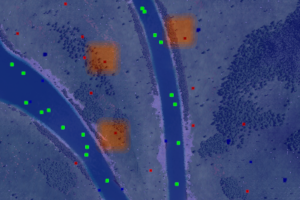
highlighted area around predators
The config struct contains several general properties for animals:
densityis a float value. Land animals and birds usually have value 1, fishes have density 4.fishis a boolean value. When it is set totrue, the animal is restricted to water.idleTimeis the time that is spent in idle mode before moving somewhere else.predatoris a boolean value. If set to true, this animal will be avoided by some others, e.g. deers avoid bears.targetDistanceis a float value. It is the distance in which the animals look for new target locations.
Flocks
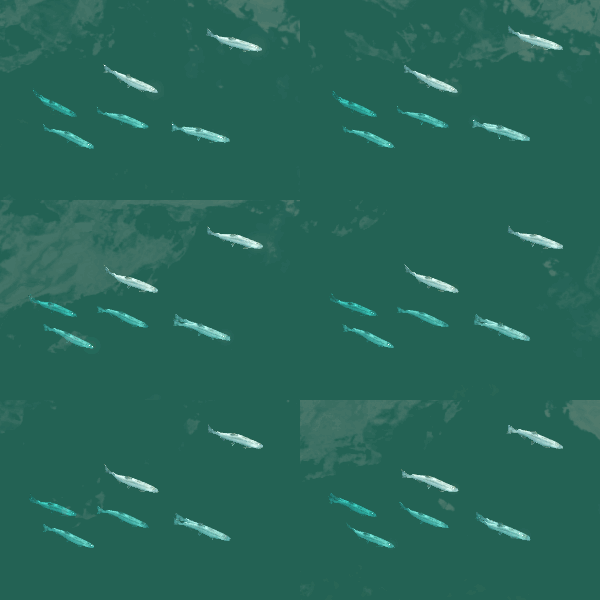
Birds and Fishes may travel around in flock formations. If an animal has a configured flock, it will move in this group. Otherwise the animal will move alone.
The flock formations have a name that is specified in flockName. The formation is configured in an external .script.lua file. This is referenced in flockFormationFn.
The .script.lua looks like this:
function data()
return {
  flock = {
    salmon = function()
    ...
    return {
      positions = {...},
      overrides = {...},
    }
    end
  },
  ...
}
end
The functions do not have any parameters. The expected result struct contains two properties:
positionsis a list of positions with three numbers for the X/Y/Z coordinates each. The coordinates are relative to the flock originoverridesis an optional list of models that shall be used instead of the main model, e.g. to have color variant.
Movement
The movement struct describes some restrictions regarding where the animals move:
alignToTerrainistruefor land animals, as they move along the terrain surface. Birds or fishes have the property set tofalse.heightOffsetis the value they are offsetted of the water height ifalignToTerrainisfalseor the terrain surface, ifalignToTerrainis set totrue. Fishes usually have negative values, birds have positive values.rollWhileTurningis set totrueif the animal should roll a bit when turning around curves. Usually that is done for birds.stickToWaterrestricts animals to water areas. This is set totruefor fishes.wobbleWhenIdleis set totrue, if the animal should move slightly in idle state. This is usually used for fishes too.
Movement Types
It is possible to define several movement types. For example, land animals can stay around (idle), walk and run. For each of the movement types, there is a struct in the movementTypes list with the following properties:
angularSpeedis the turn speed. Slow angular speed results in the animal having very large curve radii.descriptionis a translatable string to describe the current action. It is shown in the animal detail window.despawnAtEndis a boolean value set to true if the animal should be removed after the animation completed, e.g. after an animal died.durationis a number value setting the length of the animation.eventNameis the name of the event that is defined in the levels of detail.playOnceis set totrue, if the animation is not looping, e.g. when the animal dies.playRandomlyis set totrue, if this movementType can occure randomly. The normal behaviour of an animal is a series of such random animations.playWhenSelectedis set totrueif the animation should be played whenever the player clicks on the animal. For example, a bear is roaring.speedis the speed of the animal while this animation is played. It is specified in meter per second.
Suitable Areas

The suitableAreas struct is used to limit the occurance and movement of animals to certain areas. There are several terrain related factors as well as factors related to other animals. All factors are mapped to scores. The overall sum of scores summarizes the likelyhood of the animal existing in a certain spot. If an animal gets into an area with negative score, it will try to run away. If it fails to leave the non suitable area it will eventually die.
biasis a static score offset applied to any animal.heightis a struct property that maps an interval of heightlevelsmapFromto an interval of scoresmapTo. Height values below the lower interval limit are considered equal to the lower limit, height values above the upper limit are considered equal to the upper limit.noiseis a struct property that maps an interval of emission levelsmapFromto an interval of scoresmapTo. Height values below the lower interval limit are considered equal to the lower limit, height values above the upper limit are considered equal to the upper limit.scoresis a struct of criterias with static scores:civilisationis everywhere were AI or player constructed buildings and streets are.fishis the area around water animals.forestis the area around trees.predatoris the area around animals withconfig.predator == true.shipis the area around ships on rivers or lakes.shoreis the area along river and lake borders.wateris the area where there is water.
slopeis a struct property that maps an interval of steepness levelsmapFromto an interval of scoresmapTo. Height values below the lower interval limit are considered equal to the lower limit, height values above the upper limit are considered equal to the upper limit.waterDepthis a struct property that maps an interval of water depth levelsmapFromto an interval of scoresmapTo. Height values below the lower interval limit are considered equal to the lower limit, height values above the upper limit are considered equal to the upper limit.
It is possible to analyze the score factor maps with the ingame debug tools.
Events
The events of animals are mostly defined by their movementTypes. The most common events are:
idleanimation is used for a resting animal or for sailing birds. It can be looped.idle_standinganimation is used for resting birds. It can be looped.walk/fly/swimanimations are used for actively moving animals. It can be looped.runanimation is used for fast moving animals. It can be looped.roar/intimidate/eat/pee/baa/kick/sitdownanimations are used for random events or when the player clicks on an animal.dieis used for the end of life sequence of an animal. It is played only once.