Ingame Help
 Transport Fever 3 is a game with many mechanics, so there is the need for help from time to time. There are several ways to get help ingame:
Campaign as Tutorial
The first missions of the campaign act as a tutorial and introduce the most important tools and features in a step by step fashion embedded in the stories of the missions. Over the course of the campaign, the guidance will be less linear and will just provide hints occasionally.
Free Game / Quickstart-Tutorial
To get a pure introduction into the basic tools and features, there is a tutorial available for the free game. It can either be activated when setting up a new free game or is directly available from the main menu when no game was played before. The tutorial covers the following major topics:
- Company setup with headquarter construction and loan management
- Town info and layers
- Bus line setup with construction, line configuration and vehicle purchase
- Cargo line setup with warehouses
- Train line setup
Guides

As part of the missions and tutorial, there are some additional guides. The guide system highlights features with a yellow color and assists with explanations when the player uses some features for the first time or is stuck a bit.
Button Prompts
Both with mouse and keyboard as well as with the controller, the bottom right corner lists the hotkeys for actions that are available in the mode that is currently active.
Tooltips
Whenever the cursor stays over an interactive element or the controller inspector focuses an object in the 3D world for longer than a second, a small tooltip is displayed. If the tool can be activated via a hotkey, the actual key binding is indicated in brackets. Read the section controls about how to alter key bindings.
Context Help
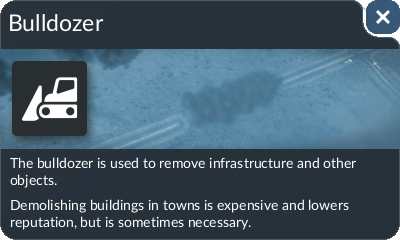
The context help gives you a little assistance while using a tool, statistic window or data layer. Simply press F1 (by default) or click on the  button on the left side of the toolbar to open it. The content depends on the currently open menus or windows.
