Table of Contents
Cargos
In Transport Fever 3, cargo types are grouped in cargo classes and displayed by models that are following cargo model formats.
Cargo Types
Cargo types are defined in .cargo.lua files. The basic structure of a cargo type config is:
function data()
return
	{
		name = _("Iron Ore"),
		weightFactor = 1.0,
		order = 210,
		icon = "iron_ore.tga",
		cargoClasses = { "UNIVERSAL", "BULK" },
		categoryList = {
			categories = {
				"temperate.eco",
				"dry.eco",
				"tropic.eco",
				"subarctic.eco"
			}
		},
		scriptRef = {
			fileName = "::/economy/cargotype.script@incomeFactors.constantFn",
			params = {
				initialPrice = 3.5,
				finalPrice = 2.9,
				decayRate = 0.005,
				decayMod = 1,
				decayStart = 200,
			}
		},
		color = { 0.94, 0.53, 0.31},
		loadSpeedFactor = 0.0625,
		timeToDeliverInSeconds = 4500,
	}
end
The properties are:
nameis a string that is used wherever the name of the cargo is displayed. It can be translated in a strings.json file.weightFactoris a density factor. 1.0 is the default value for the heavy cargo types. Very light cargo types may have smaller values.orderis used for the sorting in lists where several or all cargos are listed.iconis a file reference to the icon of the cargo type. The cargo icons have a height of 50 pixels in their double resolution (…@2x.tga). They use a flat style without shadows and have a black outline to improve contrast ingame.cargoClassesis a list of cargo class keys. The type is assigned to all of these classes to help with cargo type sets.categoryListcontains a list of economies. The cargo type is available in each of these economies.scriptRefcontains a reference to a function that describes the income depending on the delivery time. See below.coloris aVec3color definition that is used for graphs where multiple cargo types are shown.loadSpeedFactoris a factor that scales the load speed for loading a cargo item of this type. Passengers have a value of 1, the other cargo types have a default value of 0.0625.timeToDeliverInSecondsis the time a cargo item may need between initial pickup and dropoff at a destination under normal conditions. If it takes longer, customers are not satisfied.
Cargo Income Function
The expected income function referenced in scriptRef needs to have two parameters:
paramsa struct with invidual params to customize per cargo type (see example above)timeInMsthe time between initial pickup of the cargo item and the drop off at a valid destination (either town building, industry or landmark) in milliseconds.
It's return value shall describe a factor that is used to calculate the income per transported item and relative to the aerial distance between pickup and dropoff. If the dropoff is higher than the pickup, the height difference is added eight times to the distance. The income is also scaled depending on the difficulty level.
Cargo Classes
A cargo class describes a group of cargo types with common properties, e.g. bulk cargo. The cargo classes are defined in .cargoclass.lua files.
function data()
	return {
		tag = "BULK",
		name = _("Bulk"),
		description = _("Cargo that is stored in large piles."),
		icon = "bulk.tga",
		order = 3,
		color = { 254/255, 202/255, 23/255 },
	}
end
The properties are:
tagis a short and all-caps string that is used as a token for referencing in other resources. The tags may only containA-Z.nameis a string that is used wherever the name of the cargo class is displayed. It can be translated in a strings.json file.descriptionis a string that contains a short description of the cargo class. It can be translated in a strings.json file. The description is currently not shown anywhere .
.iconis a file reference to the icon of the cargo class. The cargo class icons are currently unused.orderis used for the sorting in lists where several or all cargo classes are listed.coloris aVec3color definition that is used for cargo class labels, e.g. in the vehicle store and construction menu.
The following cargo classes are currently defined per convention:
UNIVERSALis the generic class, it contains all normal cargo types. All cargo types that are part of this cargo class need to provide models for the cargo model formatsBIGandSMALL.PASSENGERSis the generic class for passengers. No other cargo types should be included there.GOODSis the cargo class for all common cargo types that are transported in box cars. No special models are required.FLATBEDis the cargo class for large and heavy cargo. They are usually transported with flat vehicles. No special models are required.BULKis the cargo class for bulk cargo like stones, iron ore and coal. They are usually transported in open vehicles with high side walls. See below for further details about the required models.LIQUIDis the cargo class for all liquid cargo types. They are usually transported in tank cars and trucks. See below for further details about the required models.
While mods can just define their own cargo classes, we would like you to get in touch with us if you see potential for a new cargo class, so we can assure it is well defined. This helps the interoperability between different mods and ensures a better experience for all players.
Cargo Model Formats
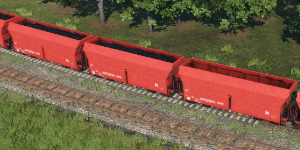
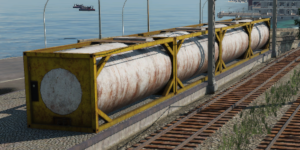
Cargo model formats describe a common volume and kind of model that can be used within other resources like vehicles to display the right model for a cargo type. The cargo model formats are defined in .cmf.lua files.
function data()
	return {
		tag = "BIG",
		size = { 10.0, 4.0, 2.0 }
	}
end
The definition of a cargo model format consists of a tag, which is a simple all-caps string with only A-Z. It is used for referencing. The other property is the size which defines the bounding box of the cargo model. It extends from the root node outwards and upwards.
The following standard formats are defined by the base game and required for cargo types of the according classes:
| Tag | Size | UNIVERSAL | GOODS | FLATBED | BULK | LIQUID | Purpose |
|---|---|---|---|---|---|---|---|
| SMALL | 2.00 x 2.00 x 2.00 | ✔ | ✔ | ✔ | ✔ | ✔ | generic |
| BIG | 10.0 x 4.00 x 2.00 | ✔ | ✔ | ✔ | ✔ | ✔ | generic |
| BUNKER_11x21 | 11.0 x 21.0 x 5.00 | ✔ | warehouses, inclined | ||||
| MEDIUM2x1 | 11.0 x 21.0 x 5.00 | ✔ | vehicles, flat border | ||||
| MEDIUM4x1 | 11.0 x 21.0 x 5.00 | ✔ | vehicles, flat border | ||||
| RECT_3x2_2 | 3.00 x 2.20 x 0.30 | ✔ | vehicles, flat border | ||||
| RECT_5x1_8 | 5.00 x 1.80 x 0.30 | ✔ | vehicles, flat border | ||||
| RECT_5x2_5 | 5.00 x 2.50 x 0.30 | ✔ | vehicles, flat border | ||||
| RECT_6x2_2 | 6.00 x 2.20 x 0.30 | ✔ | vehicles, flat border | ||||
| RECT_7_45x1_35 | 7.45 x 1.35 x 0.30 | ✔ | vehicles, flat border | ||||
| RECT_7x1_8 | 7.00 x 1.80 x 0.30 | ✔ | vehicles, flat border | ||||
| RECT_9_5x3_6 | 9.50 x 3.60 x 0.30 | ✔ | vehicles, flat border | ||||
| RECT_11x2_5 | 11.0 x 2.50 x 0.30 | ✔ | vehicles, flat border | ||||
| RECT_12_4x1_75 | 12.4 x 1.75 x 0.30 | ✔ | vehicles, flat border | ||||
| RECT_15x5 | 15.0 x 5.00 x 0.30 | ✔ | vehicles, flat border | ||||
| RECT_18_5x10 | 18.5 x 10.0 x 0.30 | ✔ | vehicles, flat border | ||||
| RECT_20x5 | 20.0 x 5.00 x 0.30 | ✔ | vehicles, flat border | ||||
| RECT_40x10 | 40.0 x 10.0 x 0.30 | ✔ | vehicles, flat border | ||||
| RECT_60x25 | 60.0 x 25.0 x 0.30 | ✔ | vehicles, flat border | ||||
| CIRCLE_1 | 1.00 x 1.00 x 0.30 | ✔ | warehouses, industries, vehicles | ||||
| CIRCLE_8 | 8.00 x 8.00 x 0.30 | ✔ | warehouses, industries | ||||
| CIRCLE_12 | 12.0 x 12.0 x 0.30 | ✔ | warehouses, industries | ||||
| CIRCLE_18 | 18.0 x 18.0 x 0.30 | ✔ | warehouses, industries |
While mods can just define their own cargo model formats, we would like you to get in touch with us if you see potential for a new cargo model format, so we can assure it is well defined. This helps the interoperability between different mods and ensures a better experience for all players.
Cargo Type Sets
Cargo type sets are used within other resources like vehicles to reference a specified group of cargo types at once:
cargoTypeSet = {
	cargoClassesIncluded = { "PASSENGERS", },
	cargoClassesExcluded = {  },
	cargoTypesIncluded = {  },
	cargoTypesExcluded = {  },
},
To determine the wanted set of cargo types, the given lists are used in the following order:
- The result is an empty list.
- All types of the cargo classes in
cargoClassesIncludedare added to the result. - All types of the cargo classes in
cargoClassesExcludedare removed from the result. - All types in
cargoTypesIncludedare added to the result. - All types in
cargoTypesExcludedare removed from the result.
Cargo Models
Cargo models are normal asset models with some relevant metadata. To assign a model to one or more cargo types, the cargoModel property is used:
...
cargoModel = {
	cargoTypeSet = {
		cargoClassesExcluded = { },
		cargoClassesIncluded = { },
		cargoTypesExcluded = { },
		cargoTypesIncluded = { "beverages.cargo", },
	},
	formats = { "BIG", },
},
...
The cargoTypeSet acts as described above. The formats list defines the cargo formats for which the current model shall be used.
To restrict a cargo model to a certain time span, it is possible to define an availability range:
...
availability = {
	yearFrom = 2000,
	yearTo = 2015,
},
...
Whenever there are cargo load indicators that choose random cargo models, they respect the given availability data and do not choose the model outside of the range.